Case study · Product design & engineering
Lattia
A free, multi-tenant fundraising platform for nonprofits, churches and schools: branded donation pages, online storefronts and email campaigns. I designed it, built it and ran it in production on my own.
Overview
Fundraising tools without the overhead
What it is
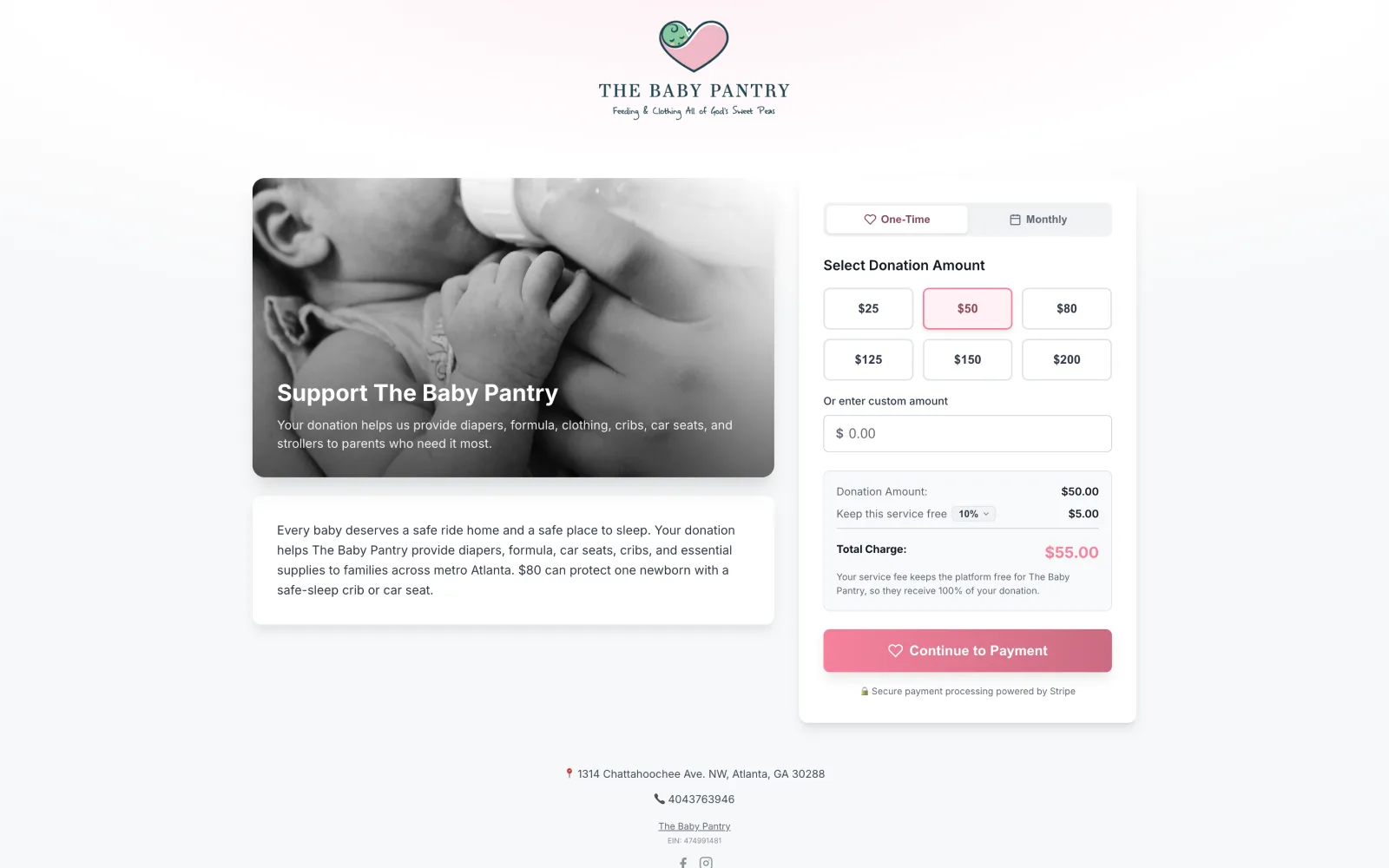
Lattia was built so a nonprofit could launch branded donation pages, an online storefront and email campaigns in minutes, with no developer. It was free to use and funded by an optional service fee that donors could choose to cover, so organizations kept every dollar of every donation.
My role
Sole designer and engineer, end to end: the design system, multi-tenant theming, donor and operator UX, the Laravel back end, Stripe Connect payments, DKIM-authenticated email delivery and the analytics layer.
What’s inside
Six major subsystems, each substantial on its own: branded donation pages, a full storefront with product variants and order management, a section-based email campaign builder, donor and contact management, automated year-end tax receipts, and an analytics dashboard.
Case study
An email builder made by subtraction
The thesis
Full-featured platforms like Constant Contact and Mailchimp are powerful and overwhelming in equal measure: scheduling calendars, audience segmentation, list hygiene, freeform builders with a hundred knobs. For a nonprofit with no technical staff, that power is a wall. I set out to build a half-system that feels like a whole one: every capability a small organization actually needs to send a great email, and none of the overhead.
The toothpaste problem
Hick’s Law says the more choices you put in front of someone, the longer and harder every decision gets. A shelf of 200 toothpastes is paralyzing; a curated set of three is a relief. Most email tools are the 200-toothpaste aisle. I wanted the curated shelf, without it ever feeling cheap or limiting.
The method: subtraction
I audited modern email builders and every email plugin available for Laravel, then did the opposite of what they do. I stripped it back to the irreducible basics an email builder needs and rebuilt only those. Every feature that made the cut had to earn its place.
Buttons, not drag-and-drop
Drag-and-drop demos beautifully and falls apart in real hands: fiddly on touchscreens, unforgiving for non-technical users. So I cut it. Adding, reordering and deleting an element is one click each, and merge tags let one campaign greet every recipient by name. Someone who has never built an email gets a professional result on the first try, in any inbox from Gmail to Outlook.
Lists without the list-building
Other tools make you do homework before you can send: export contacts, clean a list, import a CSV, segment. In Lattia you choose recipients inside the send flow, at send time. The same flow batch-tests the campaign to a hand-picked set of real contacts before it goes wide. Saved lists exist; they’re just never required.
Reporting that respects attention
Open and click rates at a glance, plus a detailed view of exactly who opened which email: the numbers a nonprofit will act on, and nothing they won’t.
The hard part was never adding features. It was the discipline to leave them out.
Edge case
Sign in with Google, done properly
“Sign in with Google” looks like a one-line integration, right up until a real person with a history hits it: someone who already signed up with a password, someone who later changed their Gmail address, someone whose organization name collides with a system route. None of that shows up in a demo, and all of it surfaces the moment Google hands the user back.
The callback, three ways
Everything hinges on one question when Google returns the user: who is this, really? I resolved it as three branches, in a deliberate order. A returning Google user is recognized by their stable Google identity and logged straight in. Someone whose email already exists from a password signup has the Google identity linked to that account instead of getting a second one. A genuinely new person gets a fresh account and organization, then moves into onboarding.
Why the order matters
- Account collision. A user signs up with a password, then months later clicks “Continue with Google” with the same email. A naive flow creates a second account and splits their donor history in two. Falling back to the email match links the identity instead: one person, one account.
- Email changes. A user changes their address at Google. Their email no longer matches, but their Google identity never changes, so checking that first still finds them. Match on what’s stable, not on what drifts.
When it’s a brand-new user
A first-timer gets an account and an organization together, and only together, so a failure can never strand a user without an org. The organization’s URL slug has to be unique and can’t collide with reserved paths like the admin or login routes, so it’s generated, checked and adjusted until it’s safe before anything is saved.
Details that never show up in a demo
- Minimal scopes. Only Google’s default email and profile. Least privilege is a trust decision.
- Trusting Google’s verification. Google already verified the address, so users aren’t asked to verify it again.
- Session regeneration on login, closing the door on session-fixation attacks.
- Best-effort side effects. A mail hiccup can’t fail a signup; creating an account never depends on a notification.
Nobody sees any of this. They tap a button and they’re in, which is the entire point.
Edge case
Don’t outsource your trust boundary
The assumption
When you build on Stripe, it’s natural to treat it as the gatekeeper. If Stripe clears an account to accept payments, surely that’s good enough to let an organization start taking money. It’s a reasonable assumption, right up until someone proves it wrong.
What happened
Shortly after launch, someone did. Stripe’s verification was easier to get past than its reputation suggests: easy enough to stand up fraudulent accounts and push rapid-fire card-testing charges through them. The “verified” status I’d been treating as a trust signal didn’t mean what I assumed.
Why it didn’t cost us
The shape of the payment flow saved us. Funds settled through Lattia’s own account rather than landing directly in connected balances, so I could refund the fraudulent charges immediately. It was a scare, not a loss.
The fix: manual, on purpose
The fix wasn’t a machine-learning fraud model. It was a human gate: an organization now has to be verified by us before Stripe Connect is turned on for it. What broke was automated trust, and piling more automation onto a boundary I didn’t yet understand would have looked sophisticated while handing back the same false confidence. A person in the loop is reliable, honest about what we can vouch for, and closes the whole fraud vector instead of playing whack-a-mole.
You earn the right to automate a judgment once you understand it well enough to automate it safely.